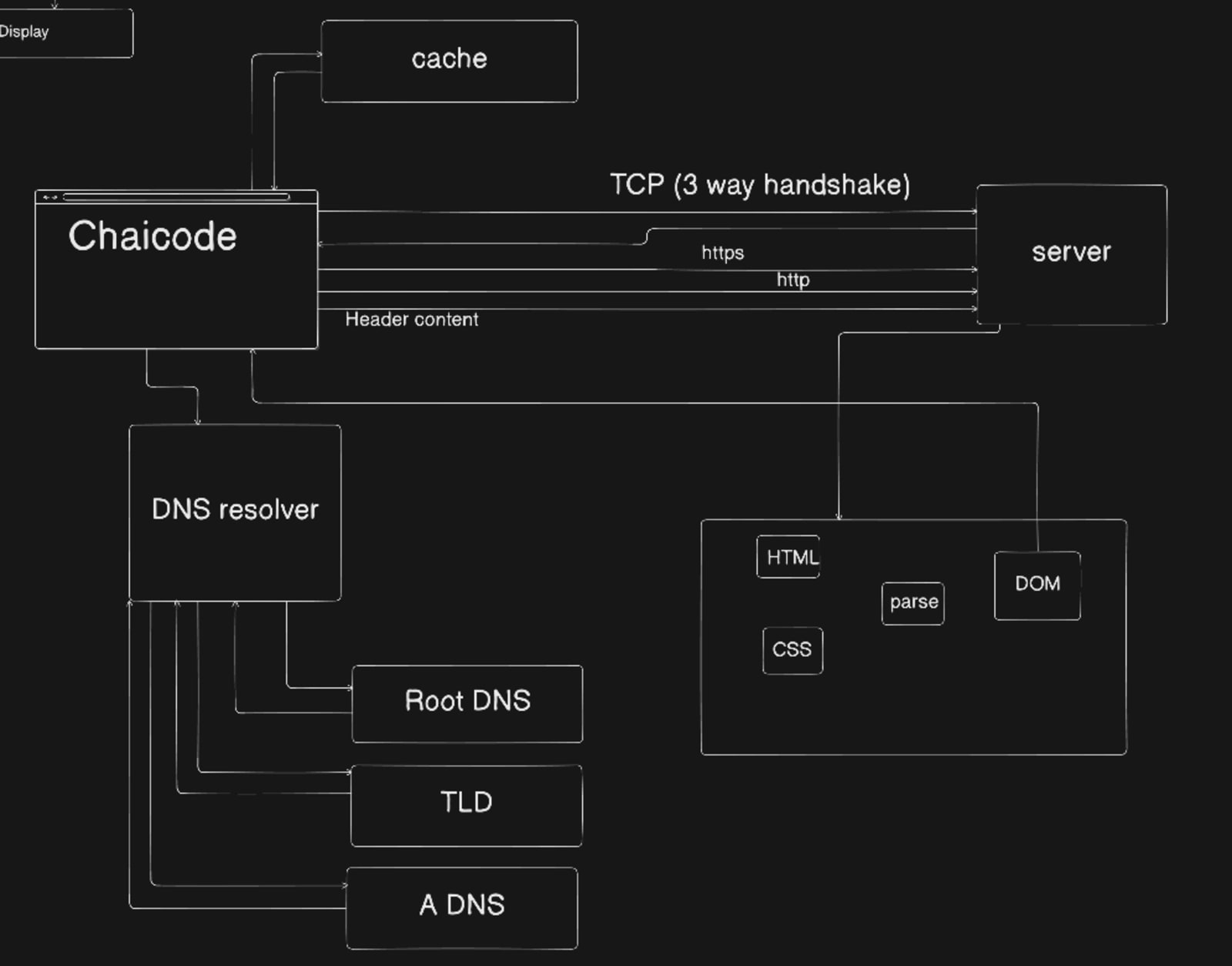
#how a web browser works

How a Browser Works: A Beginner-Friendly Guide to Browser Internals:
What actually happens after I type a URL and press Enter?
Most beginners think:
“Browser opens a website.”
But behind the scenes!
A browser is doing a lot of smart work - networking, parsing, building trees, calculating layout and finally painting pixels on your screens.
#What is a Browser(Really)?
A browser is not just a website opener.
A browser is a software application that:
Talks to servers
Downloads HTML, CSS, and JavaScript
Understands those files
Converts them into pixels on your screen
Examples:
Google Chrome
Firefox
Edge
Safari
#Main Parts of a Browser (High-Level):
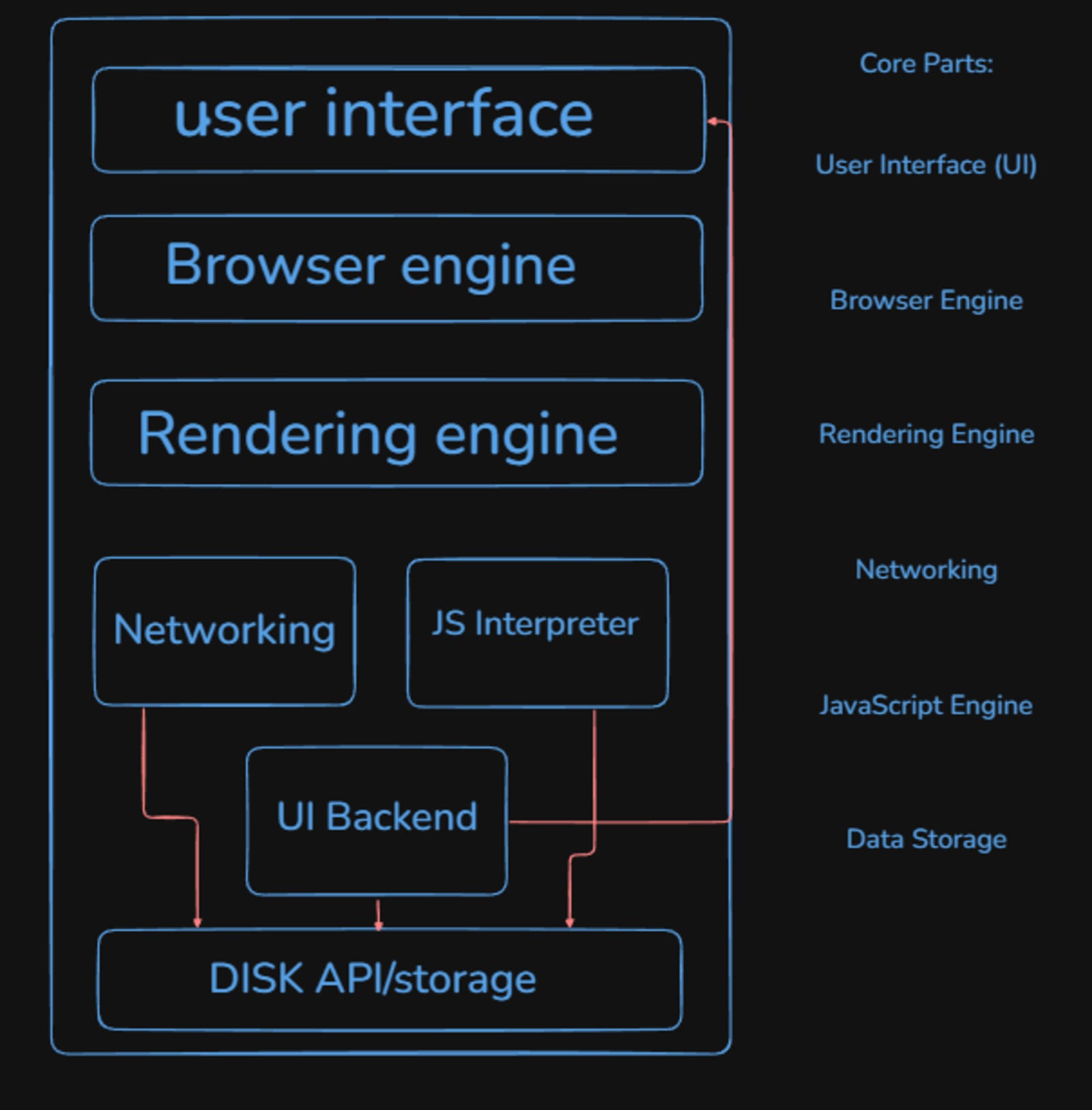
Don’t worry—you don’t need to memorize these.
Just understand how they flow together.
User Interface (What You See)
This is the part you interact with:
Address bar
Back / Forward buttons
Tabs
Refresh button
The UI takes your input (URL, clicks) and passes it to the browser engine.
Now, let's understand the browser engine and the rendering engine:
A browser engine is the core software component that manages all the high-level functions of a web browser, including coordinating between its various parts. A rendering engine is a key sub-component of the browser engine, specifically responsible for transforming web code (HTML, CSS, etc.) into the visual web page displayed on the screen.
Browser engine?
The browser engine acts as a bridge or a high-level interface between the browser's user interface (address bar, buttons, menus, etc.) and the underlying engines, such as the rendering engine and JavaScript engine. It handles actions like navigating to a new URL, going back/forward, and reloading pages, and generally manages the overall flow of data within the browser.
Some browser engine name: Gecko, WebKit, Blink,
Rendering Engine?
Also known as a layout engine, the rendering engine's primary job is to display the requested content. It performs a series of steps to achieve this:
Parsing: It parses the HTML to create a Document Object Model (DOM) tree and the CSS to create a CSS Object Model (CSSOM) tree.
Render Tree Construction: It combines the DOM and CSSOM into a render tree, which includes only the visible elements and their computed styles.
Layout: It calculates the exact position and size of each element in the render tree (also called "reflow").
Painting: It traverses the render tree and draws the elements as pixels on the screen using the operating system's UI backend methods.
Now, let's understand Networking: How the Browser Gets Files:
When you type a URL in the browser and press enter, what happens:
The browser sends a request to the server (Browser -> server ).
Server responds with (HTML, CSS, JS, Image) (Server -> Browser ).
This is handled by the Networking layer using protocols like HTTP/HTTPS.
How to render any website on your screen. Now, let's see a visual demonstration:
Server responds with (HTML, CSS, JS, Image) (Server -> Browser ).
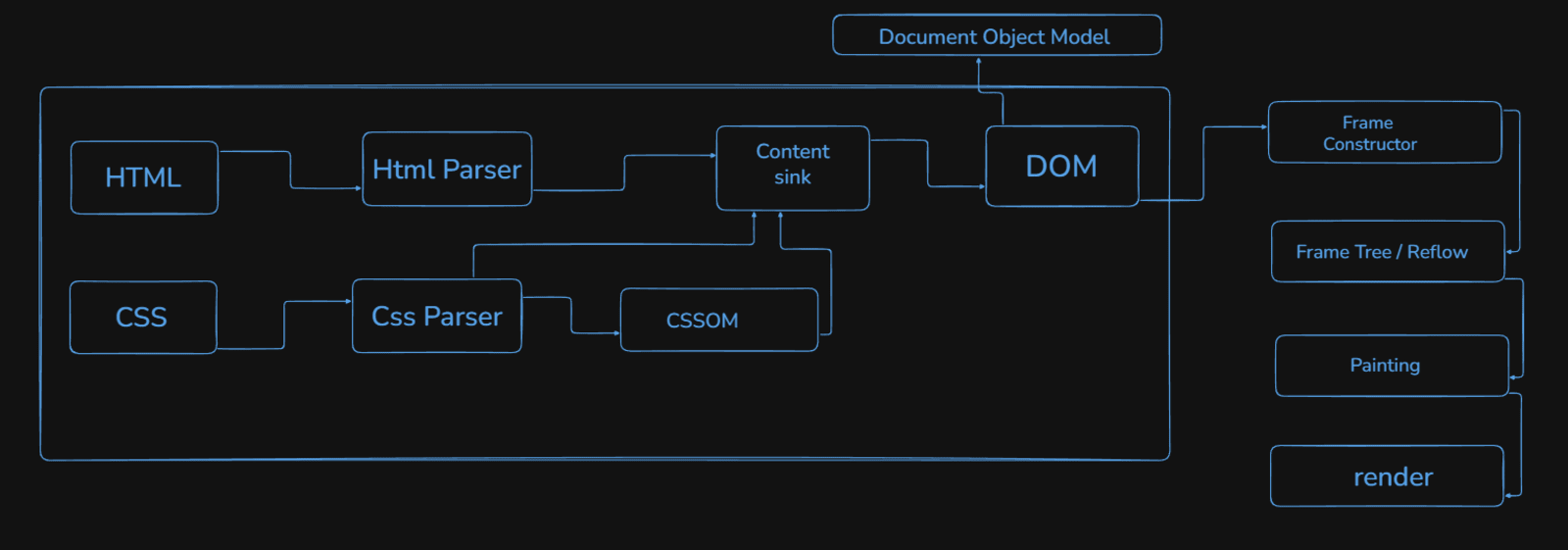
A Very Simple Idea of Parsing (Math Example)
Parsing just means:
Parser converts into a tree:
Ex: 2 + 3 * 4
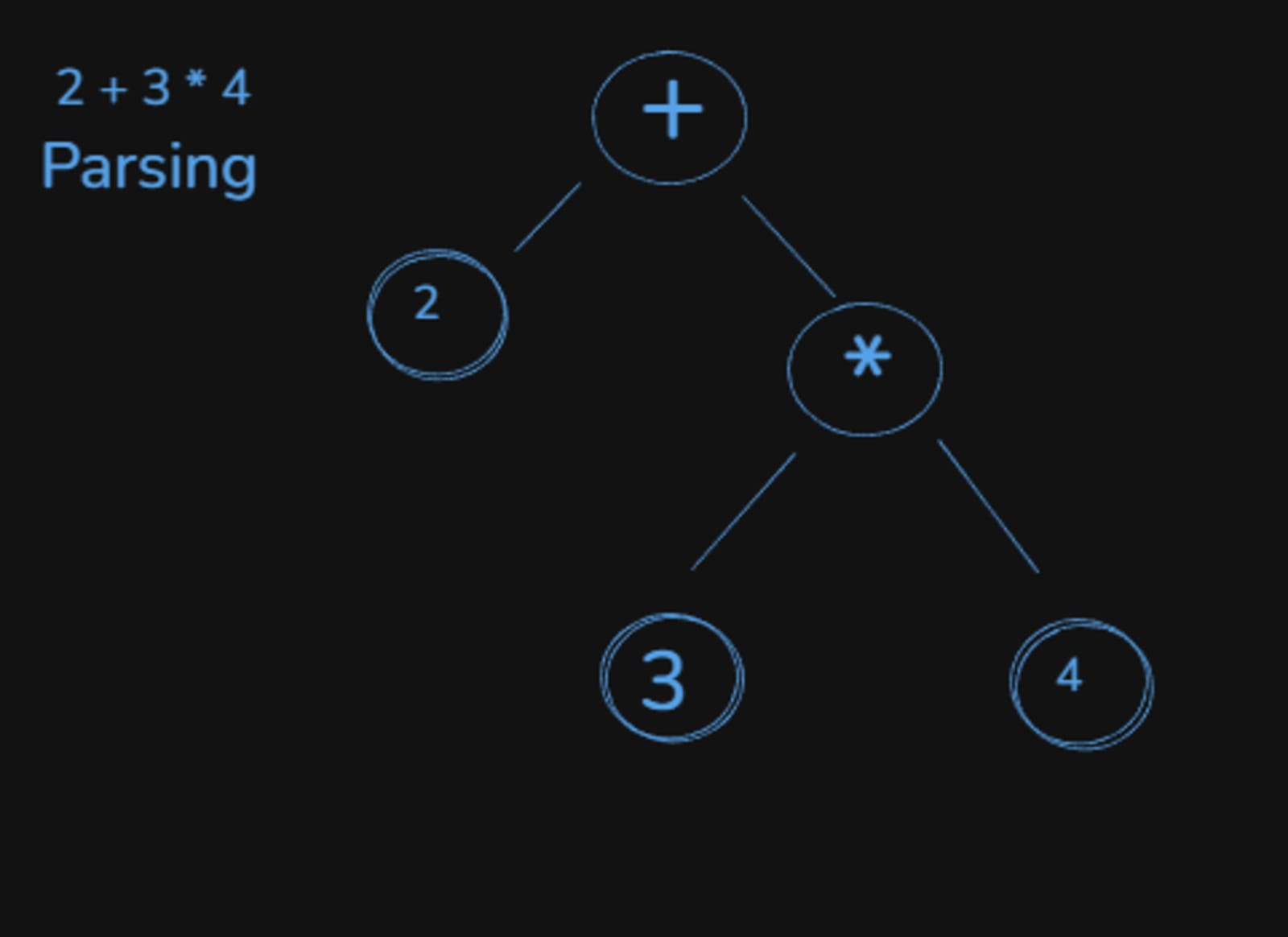
Full Browser Picture:
flow:
Browser → Server (request for website)
Server → Browser (sends HTML)
Browser → HTML Parser
HTML Parser → DOM
DOM → Render Tree
Render Tree → Layout
Layout → Paint
Paint → Screen (pixels displayed)
Here’s a visual demo showing how everything flows step by step:
Take an example, xyz.com